Replace composition source Comp
This script lets you change the source composition used in your render composition during rendering. You can specify another composition from your After Effects project as the source for the target composition.
To use this script, provide the name of the composition you want to set as the new source. Make sure that the specified composition exists in your After Effects project.
Here is a simple example. Your render composition (RENDER_COMP) contains a composition called OFFER_1 that displays a special offer. You might have multiple offer compositions in your project, such as OFFER_2, OFFER_3, and so on. By using Replace Composition Source, you can dynamically change the offer composition and render different video variants without creating separate templates for each offer.
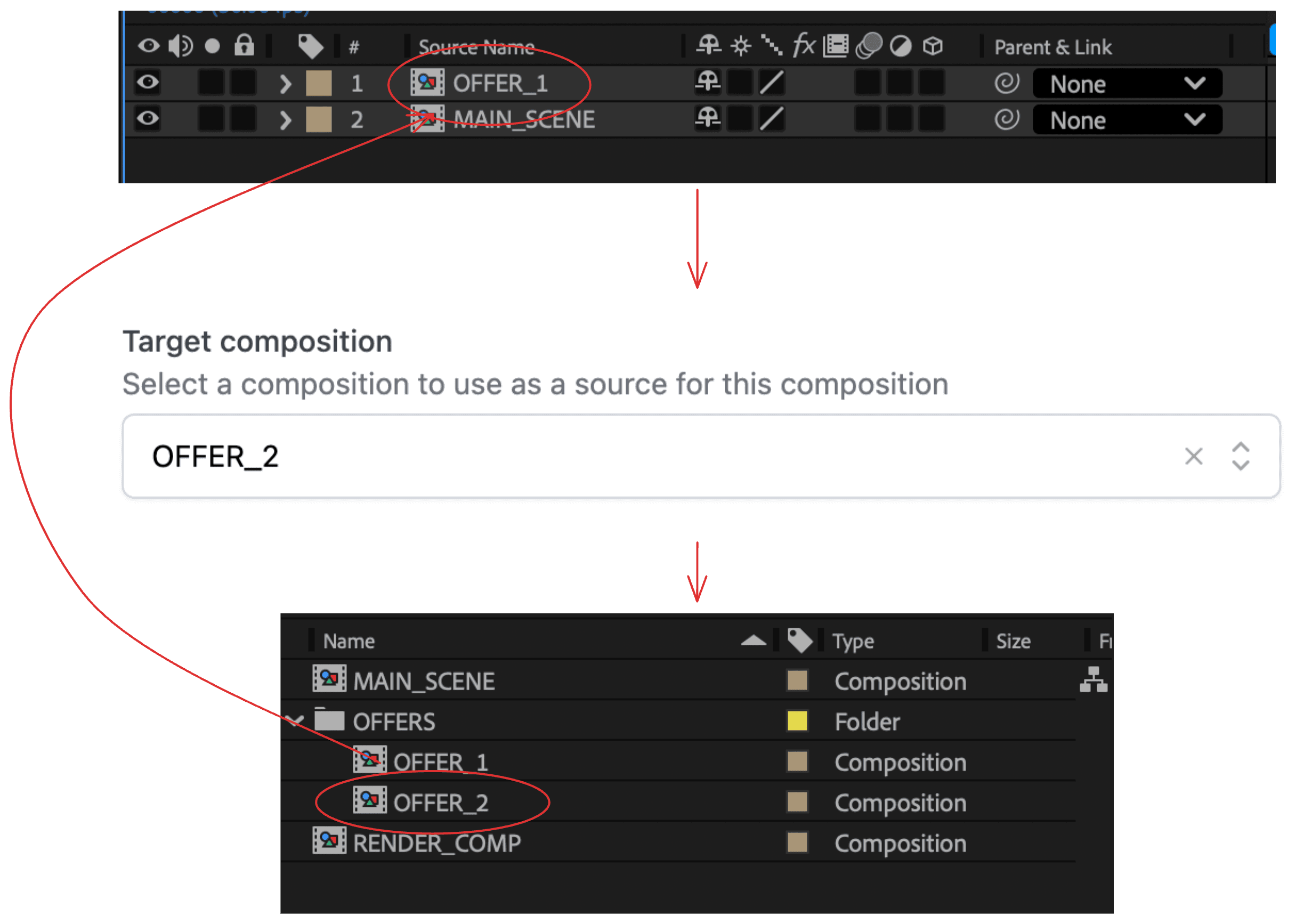
We recommend using the Replace composition source script as the final script in your template script sequence because execution order matters. This ensures the composition source is replaced after all necessary layer properties have been set via the Layer management script or other scripts.
Parameterization outside this script
Replace composition source changes which composition is used.
Parameterization controls what content is inside those compositions.
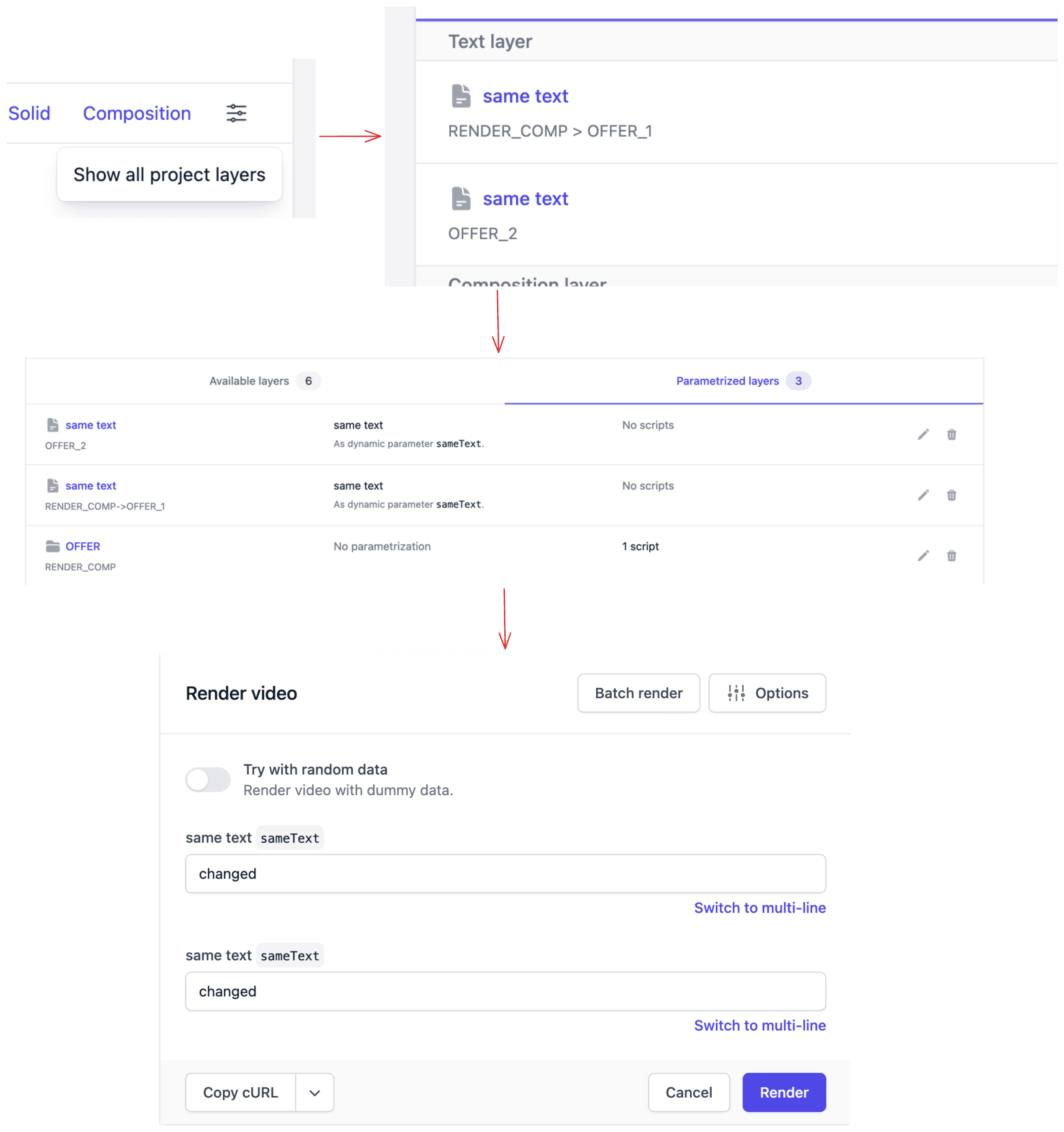
To enable dynamic content after the source is replaced, parameterize matching layers outside this script:
- Enable Show all project layers in the template editor, or
- Use the Wildcard [*] composition option to parameterize layers with the same name across compositions.
This ensures that when OFFER_1 is replaced with OFFER_2, and inputs still map correctly to layers in the new source composition.
Dynamic replace source
If you want to dynamically change the composition source based on input data, during the render execution, use the replacementCompositionName option with the Layer management script to control the composition layers accordingly.